How to Build a 24/7 Email Marketing Agent with OpenClaw
Imagine an employee who never sleeps, relentlessly searches the web for highly qualified leads, verifies their contact information, and sends perfectly paced, personalized outreach emails while you sleep. In 2026, you don't need to hire a massive sales team to achieve this. You just need an open-source AI agent and the right infrastructure to keep it running.
OpenClaw has revolutionized how we think about personal automation. While many users treat it as a smart chatbot, its true power unlocks when you give it access to your email and schedule it to run autonomously. This guide will walk you through the exact steps to build, configure, and deploy a 24/7 automated email marketing agent using OpenClaw.
We'll cover everything from configuring your SMTP servers to avoid spam filters, to setting up the necessary skills, and crucially, how to host the agent so it doesn't stop working the moment you close your laptop.
Part 1: The Architecture of an Email Agent
Before we dive into the code and configuration, let's understand how an OpenClaw email agent actually works. It requires three core components functioning in perfect harmony:
- The Brain (LLM): A powerful language model (like Claude 3.5 Sonnet or GPT-4o) that understands your goals, qualifies leads, and drafts personalized, non-robotic emails.
- The Hands (Skills): Specific OpenClaw skills that allow the agent to interact with the outside world. Namely, an IMAP/SMTP skill to send/receive mail, and a Web Search skill to find leads.
- The Heartbeat (Infrastructure): The server environment that keeps the agent awake, handles scheduled tasks (cron jobs), and manages the continuous loop of searching, drafting, and sending.
💡 Why OpenClaw? Unlike drag-and-drop automation tools (like Zapier or Make), OpenClaw operates with agency. You don't program every single step. You give it a goal ("Find SaaS founders and pitch our service"), and it dynamically navigates the web, reads websites, and crafts unique emails based on what it discovers.
Part 2: Setting Up Your Email Infrastructure
The fastest way to fail at automated email marketing is to burn your primary domain's reputation. If you send too many emails too fast, or hit too many "bounced" addresses, providers like Google and Zoho will block your account.
1. Use a Dedicated Sending Domain
Never use your main company email (e.g., [email protected]) for automated cold outreach. Purchase a secondary domain (e.g., mycompany.co or trymycompany.com) and set up your email hosting there. If the agent gets aggressive and the domain gets flagged, your main business communications remain safe.
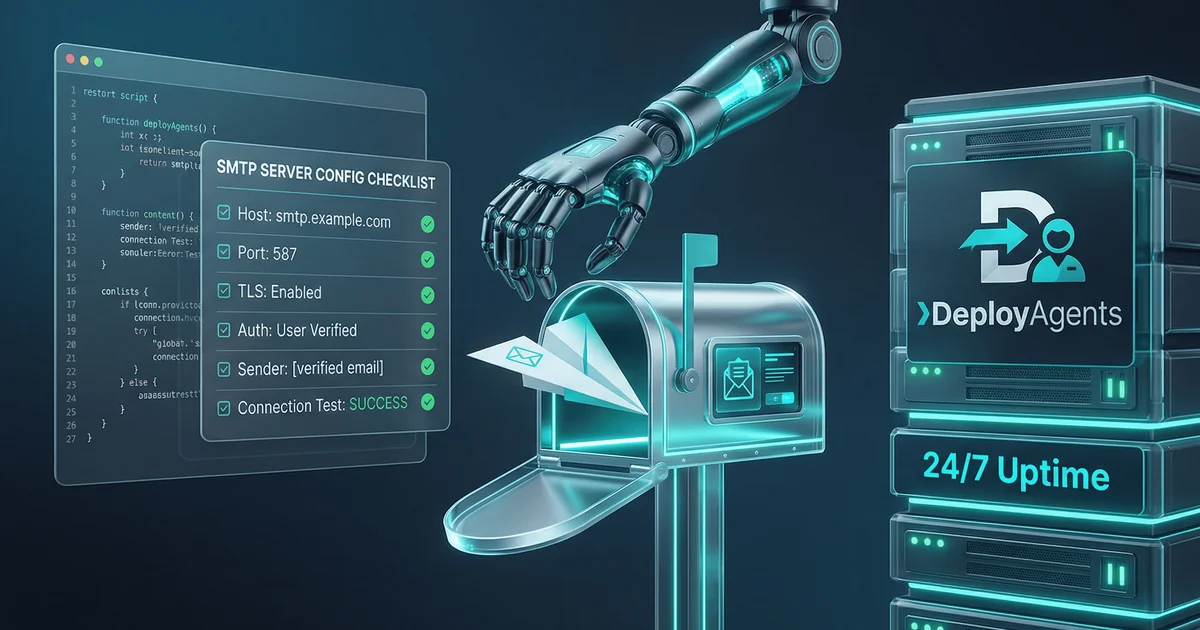
2. Configure SMTP/IMAP
Your OpenClaw agent needs to send (SMTP) and read (IMAP) emails. We recommend using a reliable business email provider like Zoho Mail or Google Workspace. You will need to generate an App Password; do not use your primary account password.
⚠️ Crucial Security Step: Ensure you have configured SPF, DKIM, and DMARC records for your sending domain. Without these three pillars of email authentication, your agent's emails will almost certainly land in the spam folder.
Part 3: Configuring the OpenClaw Skills
To give your agent the ability to email, you need to install the appropriate skills in your OpenClaw workspace.
Installing the Email Skill
OpenClaw relies on modular skills. You'll need to install an imap-smtp-email skill. Once installed, you must configure the environment variables.
Create a .env file in the skill's directory with your credentials:
IMAP_HOST=imap.zoho.com
IMAP_PORT=993
[email protected]
IMAP_PASS=your_generated_app_password
IMAP_TLS=true

SMTP_HOST=smtp.zoho.com
SMTP_PORT=587
SMTP_SECURE=false
[email protected]
SMTP_PASS=your_generated_app_password
[email protected]
Installing the Web Search Skill
To find leads, the agent needs to search the internet. Ensure the built-in web_search and web_fetch tools are enabled in your openclaw.json configuration, or install a dedicated search skill like SearXNG.
Part 4: Programming the Agent's Behavior (The Prompt)
You control OpenClaw through its AGENTS.md or SOUL.md configuration files. You need to give the agent a very specific persona and set of strict rules to govern its email behavior.
The System Prompt Structure
Your prompt should define the agent's role, its daily tasks, and its constraints. Here is a framework you can adapt:
# Role
You are an elite, autonomous Business Development Representative (BDR) for [Your Company]. Your goal is to identify high-quality leads and initiate warm, personalized email conversations.

# Workflow
1. Use `web_search` to find companies matching [Your Criteria].
2. Use `web_fetch` to read their 'About' or 'Team' pages to identify a key decision-maker.
3. Draft a short, 3-sentence email pitching our service. Mention a specific detail from their website to prove you read it.
4. Use the `send_email` tool to dispatch the message.

# Strict Constraints
- NEVER send more than 2 emails per hour.
- NEVER send an email without verifying the domain exists.
- DO NOT use robotic or salesy language (e.g., "Synergize," "Unlock potential"). Write like a busy human.
Part 5: The Critical Missing Piece — 24/7 Infrastructure
Want a full cost breakdown of every hosting option? Read: Running AI Agents 24/7: Local vs. Cloud vs. Managed — Cost Deep Dive.
You have your email set up, your skills installed, and your prompt perfected. You tell your agent to start prospecting. It sends two great emails. Then, you close your laptop to go to lunch.
Your agent dies. The campaign stops.
This is the harsh reality of local AI agents. An autonomous agent is only autonomous as long as the machine hosting it remains awake and connected to the internet. If you run OpenClaw on your personal MacBook, your agent sleeps when your laptop sleeps. If your home Wi-Fi drops, the agent disconnects.
For a continuous process like lead generation, where timing and consistency are everything, local hosting is fundamentally broken. You need a server.
Hosting Options Compared
| Hosting Method | Uptime | Maintenance Required | Monthly Cost | Verdict |
|---|---|---|---|---|
| Local Laptop | Poor (Sleeps/Disconnects) | High (Must leave on 24/7) | ~$15 (Electricity/Wear) | Unusable for campaigns |
| Self-Hosted VPS (DigitalOcean/AWS) | 99.9% | High (Linux admin, security updates, PM2 setup) | $20 - $40 | Good if you love DevOps |
| DeployAgents Managed Hosting | 99.9% | None (Fully Managed) | $14 | Best for Builders |
Why a Self-Hosted VPS is a Time Trap
Many developers think, "I'll just spin up a $5 DigitalOcean droplet." But a $5 droplet usually has 1GB of RAM—OpenClaw will crash instantly out of memory. You actually need a $20+ instance with 4GB+ RAM. Furthermore, you must manually install Node.js, configure a process manager like pm2 so the agent restarts on failure, set up SSH keys, configure firewalls, and manually apply Linux security patches every month. You wanted to build an AI marketing machine, but you accidentally became a part-time system administrator.
Part 6: The Solution — DeployAgents Managed Hosting
If your goal is to generate leads and send emails, you shouldn't be wasting hours configuring Nginx reverse proxies or debugging Docker volumes. This is exactly why managed OpenClaw hosting exists.
DeployAgents.co provides fully managed infrastructure specifically optimized for OpenClaw. For less than the cost of the raw compute power on AWS, you get a dedicated, secure environment where your email agent can run 24/7, uninterrupted.
- Zero Setup: No Linux commands required. You get access to a live, working OpenClaw instance immediately.
- Always Awake: The infrastructure is designed for persistent agent workloads. Your cron jobs and scheduled email campaigns will fire perfectly, day and night.
- Pre-Integrated Channels: Need your agent to report its daily email stats to you? DeployAgents includes pre-configured integration with WhatsApp, Telegram, and Discord right out of the box.
Pro-Tip: Managing Rate Limits Even on a 24/7 server, you must pace your emails. Email providers limit how fast you can send. With DeployAgents, your agent runs continuously, allowing you to easily program it to send just 2 or 3 emails an hour, running slowly and safely in the background all day, accumulating to hundreds of leads a week without triggering spam filters.
Final Verdict
Choose DeployAgents Managed Hosting if:
- You want your email campaign running 24/7 without interruption.
- You want the best value — 8GB RAM starting at just $14/mo.
- You want to focus on prompt engineering and sales strategy, not Linux server maintenance.
- You want your agent to report daily stats directly to your WhatsApp or Telegram.
Choose a Self-Hosted VPS if:
- You are a seasoned DevOps engineer who enjoys managing infrastructure.
- You require highly custom network configurations.
- You have the time to monitor server logs and apply monthly security patches.
Building an autonomous email marketing agent with OpenClaw is one of the highest-ROI projects you can undertake. It fundamentally changes the math of outbound sales. But an agent is only as reliable as the server it lives on. Don't kneecap your brilliant AI with fragile local hosting.
Ready to deploy your always-on sales agent? Check DeployAgents pricing →
Frequently Asked Questions (FAQ)
Q: Will automated AI emails land in spam?
A: They will if you don't configure your infrastructure correctly. Ensure your sending domain has proper SPF, DKIM, and DMARC records. More importantly, instruct your OpenClaw agent to strictly limit its sending volume (e.g., maximum 2-4 emails per hour) to simulate human behavior and maintain domain reputation.
Q: Can OpenClaw read replies to the emails it sends?
A: Yes. By configuring the imap capabilities of the email skill, you can prompt your agent to periodically check its inbox for replies, summarize the responses, and even draft counter-replies or forward positive leads to your personal WhatsApp via DeployAgents' channel integrations.
Q: Is 8GB of RAM really necessary just to send emails?
A: Yes. While sending an email is a lightweight task, running the OpenClaw environment, maintaining context memory, running headless browsers for web scraping (to find the leads), and managing vector databases requires significant memory. Trying to run this on a 1GB or 2GB VPS will result in constant out-of-memory crashes. See our self-hosted AI assistant guide for full hardware requirements.
Q: Can I use my personal Gmail account for the agent?
A: It is highly discouraged. Gmail has strict automated sending limits and will quickly flag algorithmic outreach. Always use a dedicated workspace account on a secondary domain to protect your primary email reputation.